Pop-up bars, golf carts and an ice cream stand: 8 ways venues use Crew on their busiest days

Christmas parties, long lunches, New Year's Eve. The busiest weeks of the year are close, and the best moments rarely happen at the bar. They happen on the terrace, at the door and on the dance floor.
Crew puts ordering and payment on your team's phones, so wherever a guest is, so is the sale. Here's what Crew is, how it works and the most creative ways venues are using it, starting with one very big day at Opera Bar.
What is Crew?
Crew is me&u's app for venue staff. It turns a staff member's phone into a handheld payment device, so they can take an order and payment anywhere in the venue.
Guests don't need to scan a QR code, download anything or queue at the bar. A staff member takes the order, the guest taps their card or phone to pay, and the order goes to the bar or kitchen like any other me&u order.
Crew also gives your team a few controls on the floor, so they can sort things out without walking back to a terminal.
How Crew works
- Staff log in. Your team downloads the Crew app and signs in with their me&u account.
- They build the order. Staff pick items from your me&u menu, the same menu guests see when they order at the table.
- The guest pays on the phone. With Tap to Pay, the guest taps their card or phone on the staff member's phone. No separate EFTPOS terminal needed.
- The order goes through. It lands in your POS and reaches the bar or kitchen like any other me&u order, and shows in your reporting.
On the floor, staff can also:
- Apply a fixed or percentage discount you've set up in Manage, for a happy hour, a regular or a comp.
- Hide sold-out items so nobody orders something that's gone.
- Turn tables or table groups on and off.
- See guest feedback as it comes in, so they can follow up at the table.
- Get alerts when an order hasn't reached the POS.
Who can use Crew?
Crew is available to all venues set up with me&u order and pay. It runs on the menu, POS integration and reporting you already have, so there's no new system to set up. If you're already an order and pay venue, your account manager can turn it on.
New to me&u? Talk to our sales team about getting Crew at your venue.
Deep dive: Opera Bar's marathon day without the main bar
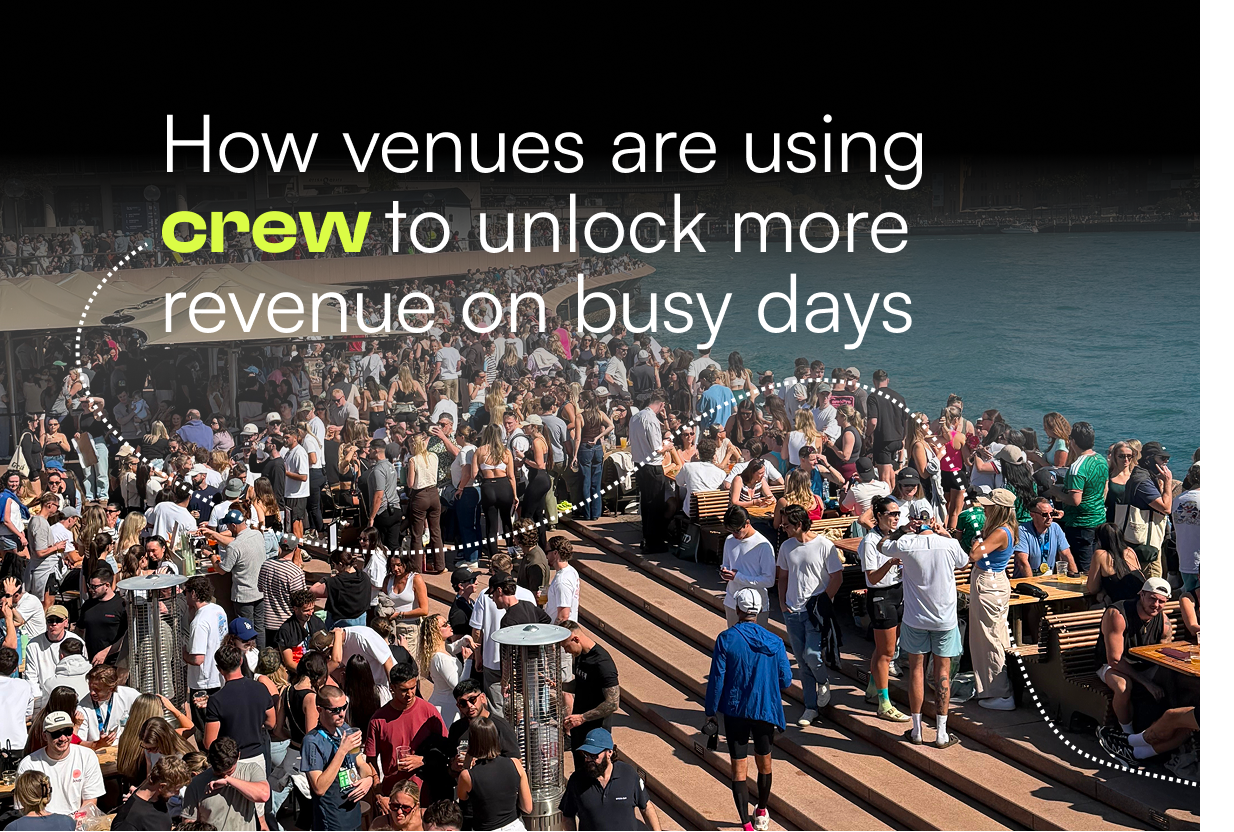
On 30 August, the Sydney Marathon finished on Opera Bar's doorstep. It's usually one of the venue's biggest days of the year, but this time the main bar was closed for renovation.
Rather than lose the day, the team at Applejack set up pop-up bars across the precinct, each one taking orders and payments on Crew. By close, around 38% of the day's sales had gone through Crew.
"Our Guest Experience Officers are the heart of how we run Opera Bar, and Crew lets them do that anywhere. We couldn't have run the marathon day without it."
Alex Barron, Group Marketing Manager, Applejack
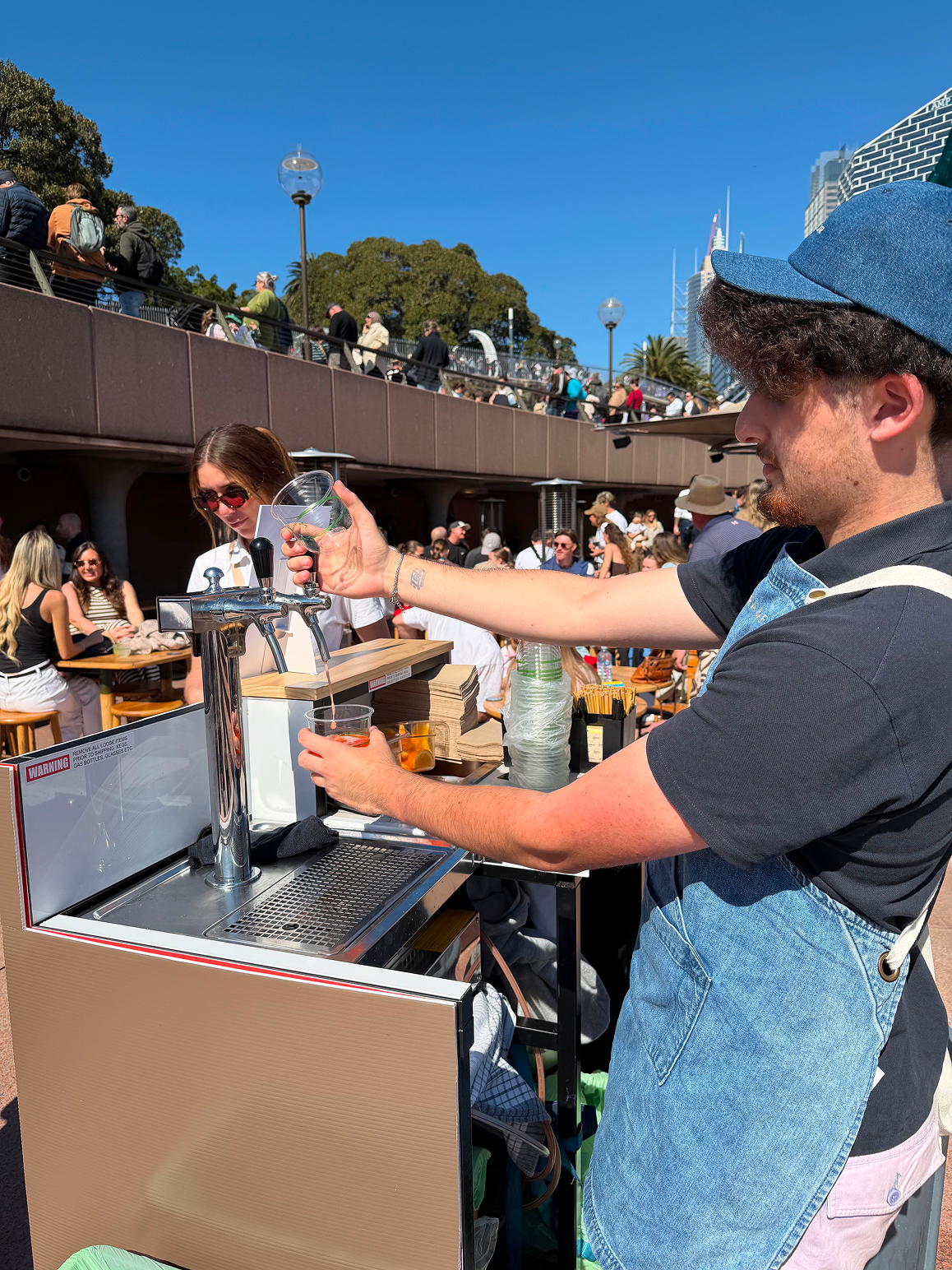
Guest Experience Officers, powered by Crew
Service at Opera Bar is led by its Guest Experience Officers (GEOs). They're more than waiters. They're hosts, local experts and the people guests remember.
They know the menu, the drinks and the city. They also know when a group wants another round and when to leave them to it. With Crew, a GEO can take an order and close it out wherever the guest is, so service at a pop-up bar on marathon day stays as personal as it is at a table.
8 creative ways venues use Crew to increase revenue
Here's how venues are putting Crew to work, at a glance.
Real venue tips to get the most out of Crew
1. Set up shop where the crowd is
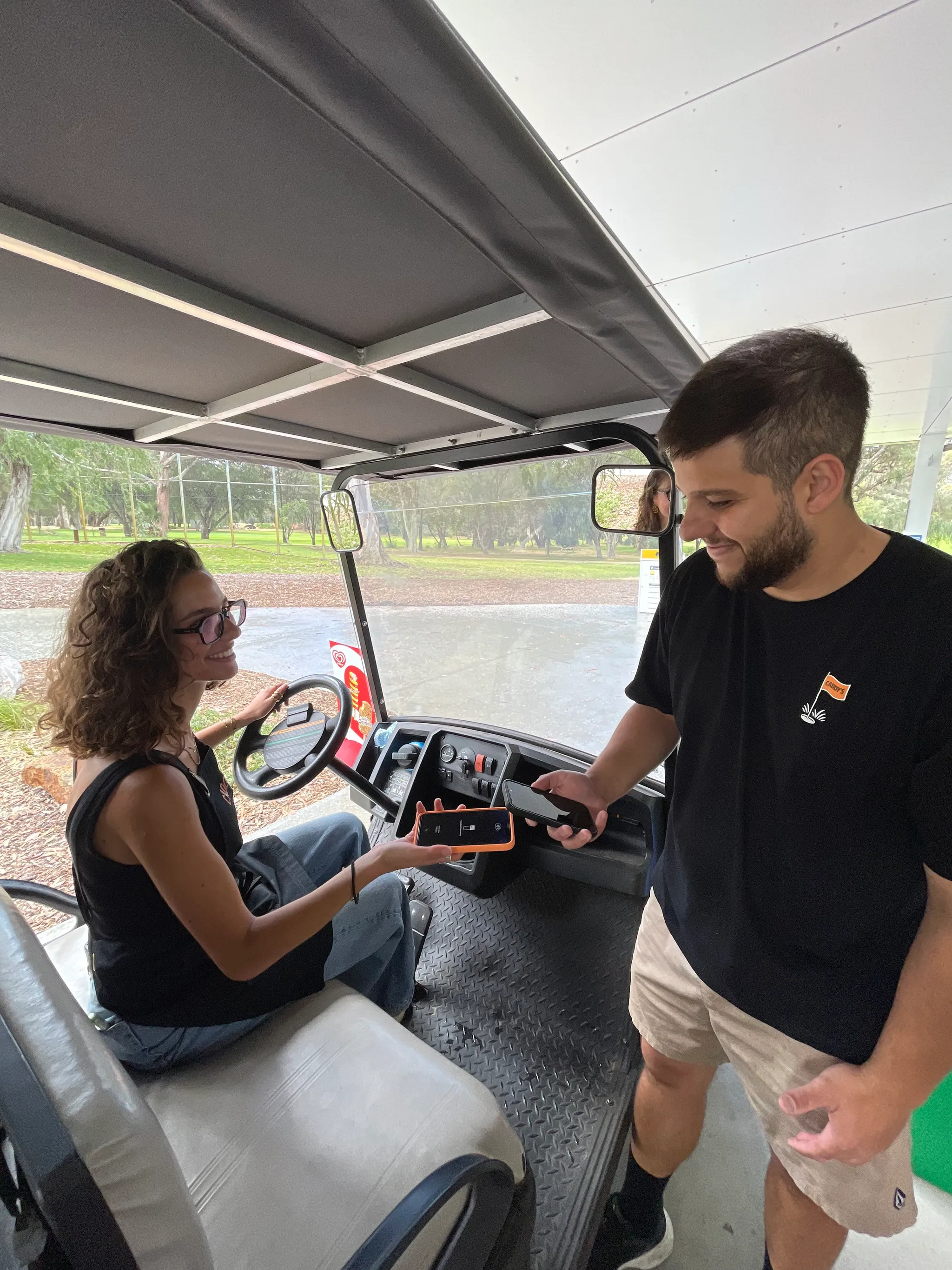
A pop-up bar on the lawn, a golf cart doing laps of the course, an ice cream stand by the water. When orders and payment travel with your team, any corner of your venue can trade.
At Studley Park Boathouse, a riverfront landmark that holds 1,100 guests, staff set up booths between the main dining spaces to sell ice creams on Crew. At Hamersley Golf Club, the bar comes to you: staff take a golf cart out on the course, and it took more than $800 on its first day.
2. Make the door work harder
Whether it's the cloakroom or the front door, the moment you check guests in is a chance to sell. Some venues use Crew to sell tickets or take entry fees as guests arrive.
Auburn Hotel uses Crew to sell raffle tickets. The Prince and Raffles Hotel use it for door sales, merchandise and cloakroom payments. Wherever the crowd gathers, that's where to set up.
3. Make grab-and-go drinks easy
Australian Venue Co venues use Crew to sell canned and packaged drinks. Staff take payment and hand the drink over on the spot.
Guests skip the bar queue, and they pick up drinks they might not have reached for otherwise.
4. Put extra hands on your biggest days
The days with the biggest crowds are the ones where an extra pair of hands taking orders matters most. Over Mardi Gras weekend, Universal Hotels leaned on Crew in two of their busiest venues and sold more than 150 tickets through it.
At their newest venue, half of all me&u sales were going through Crew. Staff found it easy to use, and it helped them pick up extra sales on the floor.
5. Make Crew a role on the run sheet
At Anglers Tavern on the Maribyrnong River, Crew is a position on the run sheet. One staff member is rostered to it each shift. They take drink orders as soon as guests sit down, get dessert orders in and ask what the table is celebrating. It's become a role the team wants.
"The crew app is awesome."
Holly, Floor Supervisor, Anglers Tavern
Read the full Anglers Tavern case study.
At Afloat, staff take Crew to the table to handle order changes and refunds on the spot. When a guest leaves feedback, the team sees it in Crew and can follow up while the guest is still there.
6. Suggest the next round at the table
Once a table has settled in, a staff member with Crew can suggest something extra without anyone going back to the bar.
Some venues build it into the welcome. At one venue, staff order a complimentary aperitif on Crew while guests scan the QR code to order their mains.
It adds up. At The Canteen at Midtown, 1 in 8 orders includes a Crew upsell, and those upsells make up 12.27% of sales.
7. Keep the specials moving
At Bopp & Tone, Applejack's restaurant in the Sydney CBD, the team uses Crew to take orders on the terrace during busy happy hours.
Tip: staff can apply a discount to an order in Crew, and hide items from the menu once they sell out, so nobody orders something that's gone.
8. Keep trading when the tech doesn't
Outages tend to hit at the worst time. When a network outage took down both the POS and EFTPOS at a Brisbane venue, the team switched to Crew and traded through the whole day.
me&u runs on a separate connection to your POS, so transactions go through me&u on the day and are reconciled once your systems are back online.
Get on the front foot before the rush
Look at the next few months: Christmas functions, New Year's Eve, long weekends. Pick the day that usually stretches your team, then picture where Crew could take an order you'd otherwise miss.
Already using me&u order and pay? Your account manager can turn Crew on and help get your team ready. New to me&u? Speak to our team today.